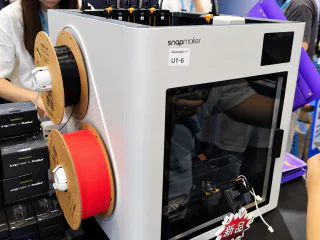
Configuring Mixed Nozzle Sizes by Feature in OrcaSlicer 2.4.0
A published workflow assigns a 0.4 mm nozzle to walls and a 0.8 mm nozzle to infill, using percentage-based line widths for mixed heads.
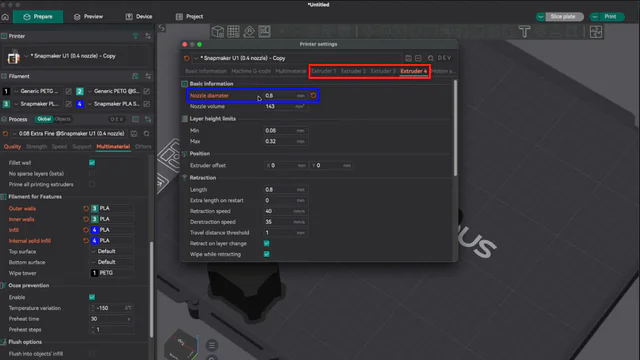
AM Insight Asia has adapted an official OrcaSlicer tutorial into a 2.4.0 workflow for assigning different nozzle diameters by feature. Its Snapmaker U1 example uses a 0.4 mm nozzle for walls and a 0.8 mm nozzle for infill.
Users register each extruder's diameter, assign walls and internal fill under Filament for Features, and specify line widths as percentages of nozzle diameter rather than fixed millimeters. The final slice is checked in the Line Width preview.
Mixed-nozzle support dates back to the OrcaSlicer 2.2.0 beta. This is a practical 2.4.0 setup guide, not a new-feature announcement or a measured benchmark of speed and strength gains.
Key facts
- The example uses 0.4 mm and 0.8 mm nozzles on a Snapmaker U1
- Extruders are assigned per feature
- Line widths are defined as percentages of nozzle diameter
Context
The workflow makes it easier to combine fine external detail with wider internal deposition in a single tool-changing print.